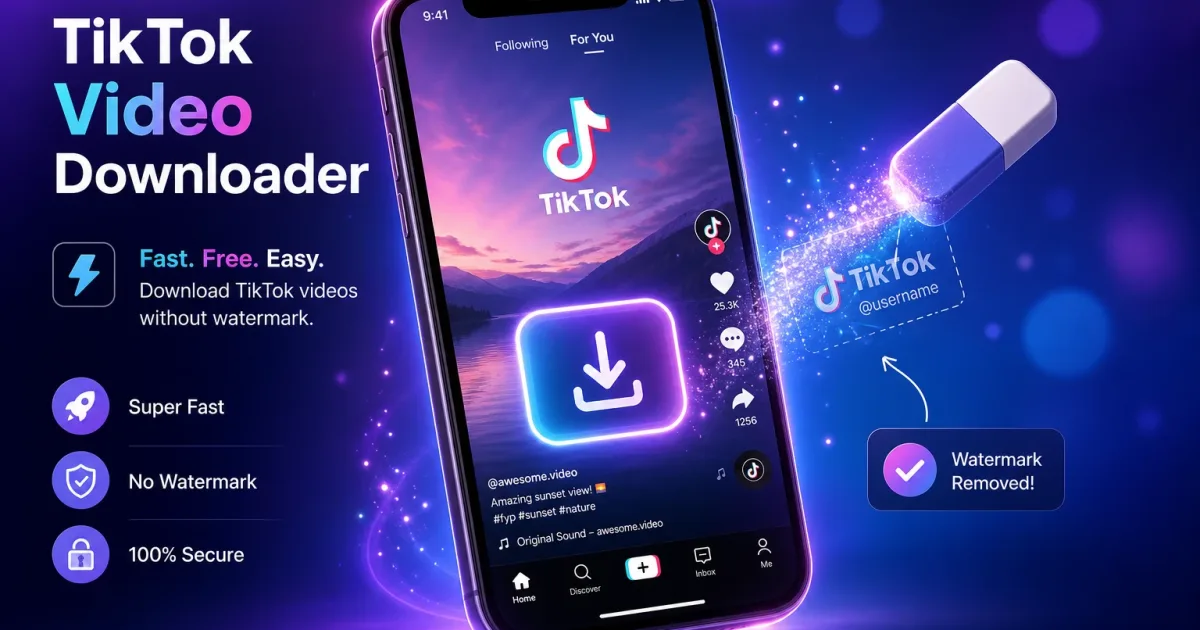
TikTok videos come with a persistent watermark featuring the creator's username and the TikTok logo. While this makes sense from a branding perspective, it can be frustrating when you want to save a video for personal use, share it on another platform, or use it as inspiration for your own content. The good news is that removing this watermark is entirely possible — and free — using the right online tools.
In this guide, we'll walk you through the simplest and most reliable methods to download TikTok videos without the watermark, explain why the watermark appears in the first place, and share tips to help you save content in the best possible quality.
Why TikTok Adds a Watermark to Every Video
When you save a TikTok video directly from the app using the built-in download button, TikTok automatically adds a watermark to the bottom of the video. This watermark contains the creator's username and the TikTok logo. The platform introduced this as a way to protect creators' identities and keep their content attributed to them, even when shared outside the app.
The Built-In Download Has Limitations
Using TikTok's native save feature is the most obvious method, but it comes with clear drawbacks. Beyond the watermark, not all creators allow downloads — many lock their videos so that viewers cannot save them at all. Some videos are also restricted in certain regions. An online downloader bypasses these limitations by fetching the video directly from TikTok's servers at its original quality.
Is the Watermark Removed or Hidden?
When you use a tool like SSSTIK to download a TikTok video without the watermark, the tool accesses a version of the video that was encoded before TikTok applied the watermark overlay. It is not a case of digitally removing or cropping the watermark — the clean version genuinely exists on TikTok's own servers and is simply not served to the app's download feature.
Step-by-Step: Download TikTok Without Watermark Using SSSTIK
SSSTIK is a free, browser-based tool that works on any device — iPhone, Android, Windows, or Mac — without requiring an account or any software installation. Here's how to use it:
Step 1 — Copy the TikTok Video Link
Open TikTok on your phone or browser and find the video you want to save. Tap the share icon (the arrow pointing right) and select "Copy link". On a desktop browser, you can also copy the URL directly from the address bar.
Step 2 — Paste the Link Into SSSTIK
Go to ssstiktok.tools, paste the copied link into the search box on the homepage, and press the download button. The tool will process the link within a few seconds.
Step 3 — Choose Your Format and Download
SSSTIK will present you with several download options, typically including HD MP4 (without watermark), SD MP4 (without watermark), and MP3 (audio only). Select the format you need and your download will begin immediately. No sign-up, no waiting, no watermark.
Tips for the Best Results
Always Use the Full TikTok URL
Some short links (using the vm.tiktok.com format) work perfectly, but if you encounter an error, try copying the full URL from your browser instead. The share button in the TikTok app reliably generates a working short link.
Prefer the HD Option When Available
SSSTIK offers both HD and SD downloads. The HD version preserves the original resolution uploaded by the creator — usually 1080×1920 pixels. If you plan to view the video on a large screen or re-share it, always choose HD.
Downloading Audio Only
The MP3 option extracts just the audio track from the video. This is ideal for saving trending sounds, music snippets, or spoken-word content. The audio quality matches the source, so for music tracks this is often near-CD quality.
Frequently Asked Questions
Is it legal to download TikTok videos without the watermark?
Downloading TikTok content for personal, non-commercial use is generally accepted in most jurisdictions. However, re-uploading someone else's video to another platform without credit — especially for commercial gain — may infringe on the creator's copyright. Always credit the original creator when sharing downloaded content publicly.
Does SSSTIK store my downloaded videos?
No. SSSTIK does not store videos on its servers. The tool fetches the video directly from TikTok's CDN in real time and serves it to your device. Nothing is saved on SSSTIK's side after your download completes.
Why does the download sometimes fail?
A failed download is usually caused by one of three things: the creator has set their account to private, the video has been deleted, or the TikTok link is not correctly formatted. Try refreshing the page and re-pasting the link. If the issue persists, the video may simply no longer be available on TikTok.
Can I download TikTok Live videos?
TikTok Live streams cannot be downloaded in real time using this method. However, if the creator later saves their Live replay to their profile, that replay video can be downloaded just like any other TikTok post.
Devices and Platforms Supported by SSSTIK
iPhone and iPad
SSSTIK works natively in Safari on iOS and iPadOS. When you tap a download link, the file is saved directly to your Photos library without any extra steps. If you use Chrome or Firefox on your iPhone, tap "Open in" and select "Save to Files" first, then move it to Photos from the Files app. The entire process takes under ten seconds either way.
Android
On Android, SSSTIK downloads go straight to your Downloads folder or the folder managed by your default browser. From there, any gallery app — Google Photos, Samsung Gallery, or any file manager — will pick the video up automatically. Android's open file system makes this the smoothest experience overall, with no redirect steps required.
Windows and Mac Desktop
On a desktop browser, clicking a download button from SSSTIK saves the file to your default Downloads folder. Chrome, Firefox, Edge, and Safari on Mac all handle this natively. There is no software to install on your computer — SSSTIK is entirely browser-based, which means it works on any operating system including Linux and Chromebook.
Common Mistakes to Avoid
A few things can cause a download attempt to fail or produce lower-quality results than expected. First, always make sure the video you are trying to save is actually public — if the creator has switched their account to private after you bookmarked the video, no downloader will be able to access it. Second, avoid using links copied from third-party TikTok viewer websites; always copy directly from TikTok's own app or tiktok.com to get a properly formatted URL. Third, if a download appears to be low resolution, check that you selected the HD option and not the SD or MP3 option by mistake. Finally, if you are on a slow connection, give the processing request a few extra seconds before assuming it has failed — the tool needs a moment to contact TikTok's servers and retrieve the file.
Ready to try it? Download any TikTok video without watermark — completely free.
Download Now on SSSTIK →