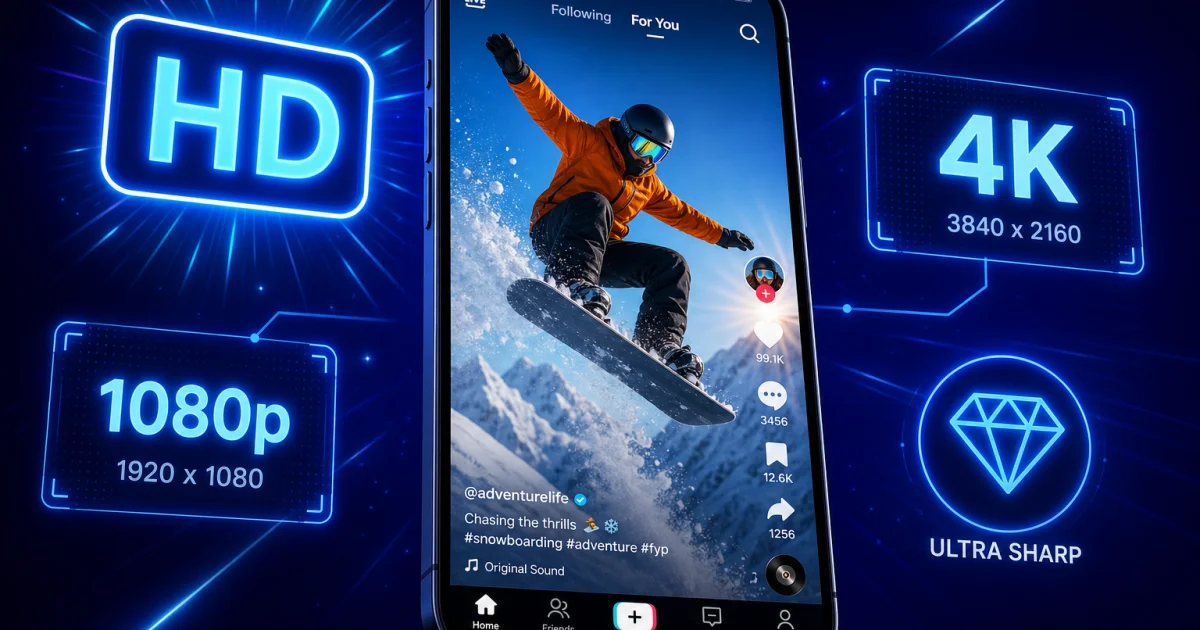
You've found the perfect clip — maybe a Holly H skincare tip, a Saffron Barker travel diary, or one of those ridiculously satisfying transition videos from an Aussie creator on your For You Page — and you want to keep it. So you download it, open it up later, and... it looks like it's been through the wash. Soft edges, mushy colours, and text that's suddenly hard to read. Sound familiar?
This happens because most downloader tools grab whatever compressed version TikTok happens to serve up, rather than the original file. In this guide, we'll explain exactly why that quality drop happens, what "HD" actually means on TikTok, and how ssstiktok.tools sidesteps the whole problem by pulling the source file straight from TikTok's servers — so what you save is what you saw.
Why TikTok Reduces Video Quality (And What "HD" Really Means)
TikTok is, at its core, a video streaming app with hundreds of millions of daily users. To keep videos loading instantly on every type of connection — from full-fibre broadband to patchy 4G on a train — TikTok compresses every single upload multiple times over. That's brilliant for scrolling speed, but it's rough on quality if you're trying to save something worth keeping.
How Compression Works
When a creator uploads a video, TikTok's servers re-encode it using video codecs like H.264 or the newer, more efficient H.265 (HEVC). These codecs throw away visual information the human eye is less likely to notice — subtle colour gradients, fine grain, tiny background details — in exchange for a much smaller file size. TikTok then generates several versions of that file at different bitrates, so your phone can automatically switch to a lower-quality stream if your signal drops. The problem is that many free downloader sites grab whichever version loads fastest for them, which is usually one of these lower-bitrate streams, not the best one available.
Bitrate is the real culprit here. Think of it as how much data is used per second of footage. A higher bitrate keeps more detail; a lower one smooths everything out and introduces that blocky, smeared look you get around fast motion or dark scenes. Two videos can have identical resolution numbers and still look completely different depending on bitrate alone.
HD vs SD Comparison
On TikTok, you'll typically encounter two quality tiers:
- HD (1080×1920): Full vertical HD resolution, sharper detail, better colour depth, and a noticeably larger file size (often 8–20MB for a 30-second clip).
- SD (540×960): Exactly a quarter of the pixel count of HD, smaller file size (often under 5MB), and visibly softer detail, especially on bigger screens or TVs.
The difference is night and day once you cast a video to a television or view it full-screen on a tablet. SD footage that looked "fine enough" on a phone screen suddenly looks like it's been filmed through a net curtain. If you're saving anything you plan to repost, edit, or watch on a bigger display, HD is non-negotiable.
Step-by-Step: Downloading in HD with ssstiktok.tools
Here's the bit that actually matters — how to get the good version every single time. ssstiktok.tools connects directly to TikTok's CDN (content delivery network) and requests the original, watermark-free source file rather than a re-compressed copy, which is exactly why the output looks so much cleaner than most competing tools.
Step 1: Copy the TikTok Link
Open the TikTok app or the TikTok website, find the video you want, tap the "Share" arrow, and select "Copy Link." That link contains all the information ssstiktok.tools needs to locate the original upload on TikTok's servers.
Step 2: Paste into ssstiktok.tools
Head to ssstiktok.tools in your browser, paste the link into the input box, and hit the download or process button. Within a couple of seconds, the tool fetches every available version of that video directly from TikTok's servers.
Step 3: Select HD and Download
You'll be shown your download options — always look for the HD or "no watermark, best quality" label before you tap download. The file saves straight to your device, ready to use, with no login required and no software to install.
Tips for Getting the Best Results
Downloading in HD is only half the story — how and where you download makes a real difference too.
WiFi vs Mobile Data
HD files are naturally bigger than SD ones, so if you're on a limited mobile plan, saving a dozen HD clips can chew through your data allowance fast. Where possible, wait until you're on WiFi, especially if you're downloading a batch of videos. If you're regularly downloading loads of content while out and about, it's worth checking whether your provider charges extra once you go over your monthly data cap — those overage charges can add up faster than you'd expect, sometimes tens of pounds over a billing cycle.
Storage Tips and Format Selection
HD TikToks add up quickly if you're a hoarder of good content. A microSD card or a cheap portable SSD (you can pick one up for well under £50 these days) is a sensible investment if your phone storage keeps hitting its limit. For most people, MP4 is the right format to download in — it plays everywhere, from iPhones to Android phones to smart TVs, without any conversion faff. If you only want the audio (say, for a sound you want to reuse), ssstiktok.tools also lets you extract just the MP3, which saves a lot of storage compared to keeping the full video.
Frequently Asked Questions
Why is my downloaded TikTok blurry?
Almost always this comes down to the downloader grabbing a low-bitrate or SD version of the file rather than the original HD source. Some free tools cut corners here to save on server costs and bandwidth. Using a tool that pulls directly from TikTok's original CDN file, like ssstiktok.tools, solves this at the root rather than trying to "upscale" a blurry file afterwards, which never really works.
Can I download TikToks in 4K?
TikTok itself doesn't host or serve videos in true 4K — the platform's maximum native resolution for regular videos is 1080×1920 (Full HD). Some creators shoot in 4K on their camera, but TikTok compresses that footage down during upload. So while you might see "4K" mentioned around TikTok content, what you're actually downloading in the best-case scenario is genuine, uncompromised Full HD, which is the highest quality TikTok itself stores.
Does download quality differ between iPhone and Android?
Not really, once you're using a proper downloader tool like ssstiktok.tools. The video file lives on TikTok's servers, not on your phone, so the quality you get depends on which version of that server-side file the tool requests — not which device you're using. Where you might notice a difference is in how each platform's built-in "save video" feature behaves, since some apps apply extra compression on Android in particular, which is another reason a dedicated downloader is the more reliable option.
Will downloading remove the TikTok watermark?
Yes — ssstiktok.tools fetches the source version of the video without the swirling TikTok logo and username overlay, giving you a clean file that's ideal if you're editing, repurposing, or archiving the clip.
Is there a limit to how many videos I can download?
No, ssstiktok.tools is free to use with no daily cap, no account, and no watermark added to the files you save.
Ready to save your favourite TikToks in true HD, with no blur and no watermark?
Download in HD now →