You found the perfect clip on your FYP — maybe a comedy skit from Ria Ricis, a lifestyle moment from Awkarin, or a trending dance you want to save for later — so you download it. But when you open the file, it looks pecah, blurry, like it's been through a bad screenshot ten times over. Sound familiar? This is one of the most common complaints from anyone who regularly downloads TikTok content across Indonesia and Southeast Asia.
The reason isn't your phone or your data plan — it's the downloader tool itself. Most free downloader sites grab whatever compressed version loads fastest for their own servers, instead of the original file TikTok actually stores. In this guide, we'll explain why TikTok compresses video in the first place, what "HD" really means on the platform, and how ssstiktok.tools avoids all of that by pulling the source file straight from TikTok's CDN — so what you download is exactly what you saw on your feed.
Why TikTok Reduces Video Quality (And What "HD" Actually Means)
TikTok has to serve video smoothly to hundreds of millions of users every day — from someone on unlimited fiber in Jakarta to someone scrolling on a shaky 4G signal out in a smaller city. To keep the app feeling instant on every kind of connection, TikTok compresses and re-encodes every single upload, often multiple times. Great for smooth scrolling, but exactly why saved clips can come out looking worse than what you originally watched.
How Compression Works
When a creator uploads a video, TikTok's servers re-encode it using video codecs like H.264 or the newer, more efficient H.265 (HEVC). These codecs discard visual detail the eye is less likely to notice — subtle color gradients, fine texture, small background details — in exchange for a much smaller file size. TikTok then keeps several versions of the same clip at different bitrates, so the app can automatically drop to a lower-quality stream when your signal isn't great. The problem is that many free downloader tools simply grab whichever version is quickest and cheapest for them to fetch — which is usually not the best one available.
Bitrate is really the main factor here. It's essentially how much data is packed into every second of footage. Higher bitrate keeps more detail; lower bitrate smooths everything out and creates that blocky, smeared look during fast movement or dark scenes. Two clips can have the exact same resolution number on paper and still look completely different depending on bitrate alone.
HD vs SD Comparison
TikTok generally serves two main quality tiers:
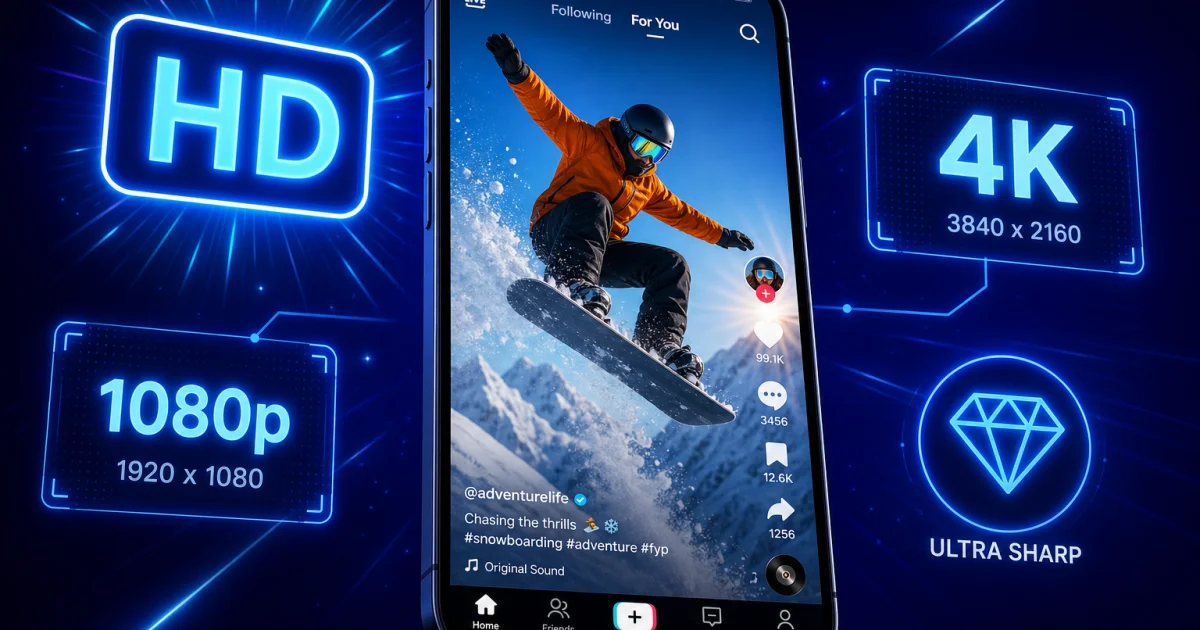
- HD (1080×1920): Full vertical HD resolution, sharper detail, richer color, and a larger file size — typically 8–20MB for a 30-second video.
- SD (540×960): Exactly a quarter of the pixel count of HD, smaller file size (often under 5MB), and noticeably softer once you view it on anything bigger than a phone screen.
The difference becomes obvious the moment you cast a clip to a TV or open it on a tablet. SD footage that looked fine scrolling quickly on a phone suddenly looks pecah and dated on a bigger screen. If you're saving anything you plan to repost, edit, or archive, HD is the only sensible choice.
Step-by-Step: Downloading in HD with ssstiktok.tools
Here's the part that actually matters — how to get the good version every single time. ssstiktok.tools connects directly to TikTok's CDN (content delivery network) and requests the original, watermark-free source file instead of a re-compressed copy, which is exactly why the result looks so much cleaner than most competing tools.
Step 1: Copy the TikTok Link
Open the TikTok app, find the video you want to save, tap the "Share" arrow, and select "Copy Link." That link contains everything ssstiktok.tools needs to locate the original upload on TikTok's servers.
Step 2: Paste It Into ssstiktok.tools
Head over to ssstiktok.tools in your browser, paste the link into the input box, and tap the download or process button. Within a couple of seconds, the tool fetches every available version of that video directly from TikTok's servers.
Step 3: Select HD and Download
You'll see your download options appear — always look for the HD or "no watermark, best quality" label before tapping download. The file saves straight to your device, ready to use, with no login and no extra app to install.
Tips for Getting the Best Results
Downloading in HD is only half the story — how and where you download also matters a lot, especially if you're on a prepaid data plan.
WiFi vs Mobile Data
HD files are naturally bigger than SD ones, so if you're relying on a limited mobile data package, downloading a bunch of HD clips can burn through your quota fast. Where possible, wait until you're connected to WiFi, especially if you're saving several videos at once. If you regularly download content while out and about, keep an eye on your provider's data top-up costs — running out mid-month and having to buy an emergency package can easily cost you an extra Rp 20,000–50,000 you didn't plan for.
Storage Tips and Format Selection
HD TikToks add up quickly if you like collecting good content. A microSD card is still one of the cheapest ways to expand storage on most Android phones sold across Indonesia — you can find a decent 128GB card for well under Rp 200,000. For most people, MP4 is the right format to download in, since it plays everywhere, from iPhones to budget Android phones to smart TVs, without needing any converter apps. If you only want the audio — say, a viral sound you want to reuse in your own video — ssstiktok.tools also lets you extract just the MP3, which saves a lot more storage than keeping the full video.
Frequently Asked Questions
Why is my downloaded TikTok blurry (pecah)?
This almost always happens because the downloader grabbed a low-bitrate or SD version instead of the original HD source. Many free tools cut corners here to save on their own bandwidth costs. Using a tool that pulls directly from TikTok's original CDN file, like ssstiktok.tools, fixes this at the root instead of trying to "sharpen" a blurry file afterward, which never really works.
Can I download TikToks in 4K?
TikTok itself doesn't natively store or serve video in true 4K — the platform's maximum resolution for standard videos is 1080×1920, or Full HD. Some creators film their raw footage in 4K, but TikTok compresses it down the moment it's uploaded. So while "4K" gets mentioned a lot online, the best quality you can actually download is genuine, uncompromised Full HD, which is the highest resolution TikTok itself stores.
Does quality differ between iPhone and Android?
Not really, as long as you're using a proper downloader tool like ssstiktok.tools. The video file lives on TikTok's servers, not your phone, so the quality you get depends on which server-side version is requested — not which device you're using. Where you might notice a difference is in each phone's built-in save feature, since some Android skins apply extra compression when saving natively, which is another good reason to use a dedicated downloader instead.
Will downloading remove the TikTok watermark?
Yes — ssstiktok.tools fetches the source version of the video without the spinning TikTok logo and username overlay, giving you a clean file that's great for editing, reposting, or just keeping in your personal collection.
Is there a limit to how many videos I can download?
No, ssstiktok.tools is completely free to use, with no daily limit, no account needed, and no watermark added to your downloads.
Ready to save your favorite TikToks in true HD, with no blur and no watermark?
Download in HD now →