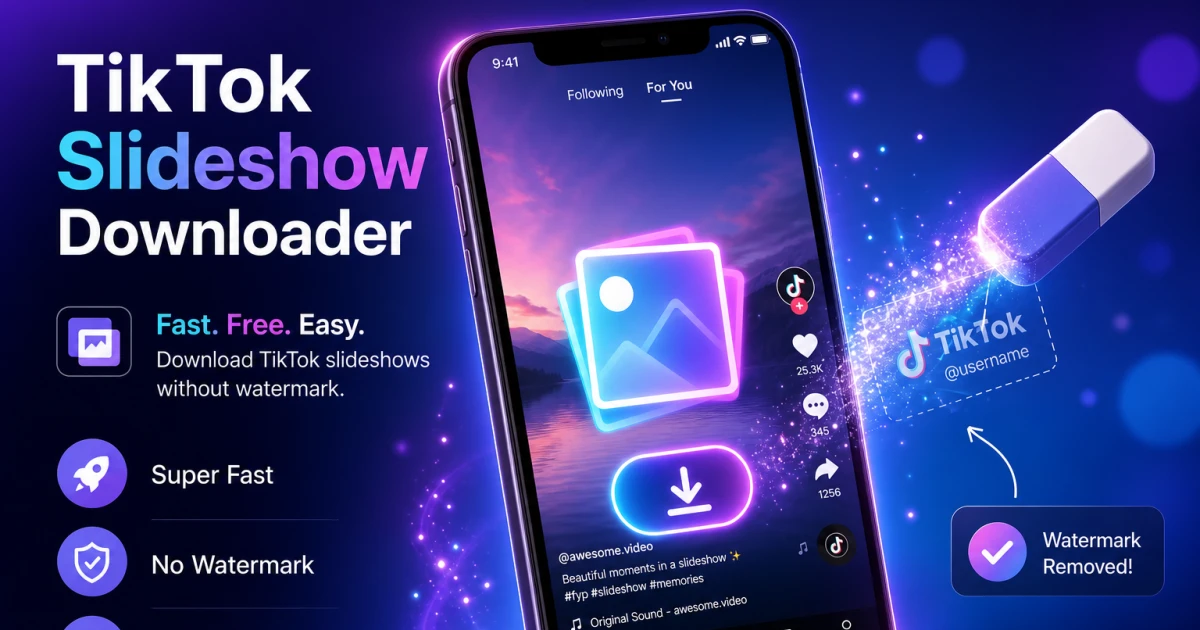
Scroll through TikTok in Jakarta, Bandung, or anywhere across Southeast Asia these days, and you will quickly notice that a lot of posts on your For You Page are not actual videos — they are photo slideshows. Since 2024, this carousel-style format has taken over, especially among lifestyle creators, OOTD accounts, and travel influencers posting recaps from Bali, Lombok, or a weekend trip to Yogyakarta. Instead of filming a video, creators simply swipe through a set of nice photos with a trending song playing in the background. The catch is, when you try to save one of these slideshows the same way you would a normal TikTok video, it usually does not work. There is no single video file stored the way there is for a regular upload. In this guide, we will explain exactly what a TikTok photo slideshow is, why the usual download method fails, and how to use ssstiktok.tools to properly save every photo along with the background music in just a few taps.
What TikTok Photo Slideshows Are
A TikTok photo slideshow is a post made up of multiple still images that viewers swipe through, instead of one continuous video clip. Creators can upload anywhere from two to thirty-five photos, add a caption, and choose a song to play as background music while people swipe. Visually it behaves a lot like an Instagram carousel, but TikTok shows it inside its normal video player, with a swipe gesture and small dots at the bottom indicating how many photos remain.
Behind the scenes, though, the structure is completely different from a regular TikTok video. TikTok stores each photo as a separate image file on its servers, and it stores the audio track as a completely separate asset as well. What you see when a slideshow plays is essentially assembled live by the app, combining the images and audio for playback. There is no single pre-rendered video file the way there is for a normal video upload.
Why They Became Popular
Slideshows became huge for a few very practical reasons. First, they are much faster to create than a polished video — a creator can take a handful of good photos while hanging out at a café in Bandung or during a beach trip in Bali, and post a slideshow within minutes, with no video editing skills needed. Second, TikTok's algorithm started favoring slideshows for certain content types, especially aesthetic lifestyle content, quote posts, and OOTD (outfit of the day) content, because viewers tend to keep swiping — and therefore watching — longer than they would a still photo. Third, slideshows are far less intimidating for creators who do not want to constantly appear on camera talking. Many local Indonesian creators have found that a well-curated set of photos with a trending Indonesian or international audio track can perform just as well as, or better than, a full talking video.
Slideshow vs Regular Video: Key Differences
The main difference is structural. A regular TikTok video is one continuous file — video and audio combined into a single stream that any downloader can grab in one request. A slideshow is a bundle of independent assets: each photo is its own file, and the music is a separate audio file, referenced together by TikTok's app so it plays as one smooth experience.
- File structure: Regular video = one MP4 file. Slideshow = multiple JPEG/WebP images plus one audio track.
- Download behavior: Basic video downloaders that only grab a single video URL will fail on slideshows, or give you a blank or broken result.
- Quality: Slideshow photos are usually available close to their original upload resolution, which can look sharper than a compressed video frame.
- Editing use: Photos pulled from a slideshow are much easier to reuse individually — for a collage, a repost, or printing — than extracting frames from a video.
Step-by-Step Download Guide Using ssstiktok.tools
ssstiktok.tools handles both formats natively, so you do not need a separate tool just for slideshows. Here is exactly how to grab one.
Step 1: Copy the Slideshow Link
Open the TikTok app and find the slideshow post you want to save. Tap the "Share" arrow icon on the right side of the post, then tap "Copy link" from the share menu that pops up. TikTok copies the full post URL to your clipboard, and you will usually see a small confirmation notification at the bottom of your screen.
Step 2: Paste Into ssstiktok.tools
Open ssstiktok.tools in your browser, whether on your phone or laptop. Tap the input box on the homepage and paste the link you just copied (long-press and select "Paste" on mobile, or Ctrl+V/Cmd+V on desktop). Then tap "Download." Our servers automatically detect that the link is a photo slideshow rather than a regular video and process it accordingly — no special mode needed.
Step 3: Download Images or Slideshow Video
Once processing is done, you will see your options. Depending on the post, you might get: a full gallery of every individual photo with a download button under each one, a "Download All" button that grabs every photo in one go, and a combined "slideshow as video" option that stitches the photos and background music into a single MP4 you can save and share just like a normal video. Choose whichever suits your needs — a lot of users grab both.
Tips and What to Expect
Individual Photos vs Combined Video Output
Which format you want depends on what you plan to do with the content. If you want to repost individual images, use them for a design project, or print one of the photos, download them individually — you will get the highest resolution version of each shot. If you just want to save the whole slideshow to rewatch later or repost it elsewhere with the music intact, the combined slideshow-as-video output is more convenient since it behaves exactly like a normal TikTok video file once saved.
One tip that saves a lot of hassle later: create a dedicated folder on your phone or in your cloud storage (Google Drive, for example) just for slideshow downloads, separate from your regular saved videos. Because slideshows can generate several image files at once, your gallery or downloads folder can get messy quickly if everything ends up in one place.
Saving the Background Music
Yes, the background music saves too. When you choose the combined slideshow-as-video download, the audio track is baked directly into the MP4, so it plays automatically when you open the file, exactly as it did in the original post. If you only download the individual images, the audio is not included in those photo files since photos obviously cannot contain sound. So if the music matters to you — and with a good trending song, it usually does — make sure to also download the video version, or use the separate audio download option if the post offers one.
FAQ
Can I download each photo separately?
Yes. ssstiktok.tools shows you every photo in the slideshow individually, each with its own download button, so you can grab exactly the ones you want instead of the whole set.
Does the music save too?
Yes, if you download the combined slideshow-as-video output, the background music is included in the file. Individual photo downloads do not include audio since they are static images.
Why won't my slideshow download?
The most common cause is pasting the wrong type of link. Make sure you copied the link directly from the slideshow post itself, not from a profile page or a different video. Also check your internet connection, and try refreshing the page if you copied the link a while ago, since TikTok links can occasionally expire.
Is downloading a slideshow legal?
Downloading content for personal, offline viewing is generally fine, but if you plan to repost or reuse someone else's slideshow publicly, you should credit the original creator and respect copyright, especially when the background music is a licensed commercial track.
Do I need an app to do this?
No. ssstiktok.tools works entirely in your browser, on both mobile and desktop, so there is no app to install and no account needed.
Ready to save your favorite TikTok slideshow, photos and music included?
Download it now →