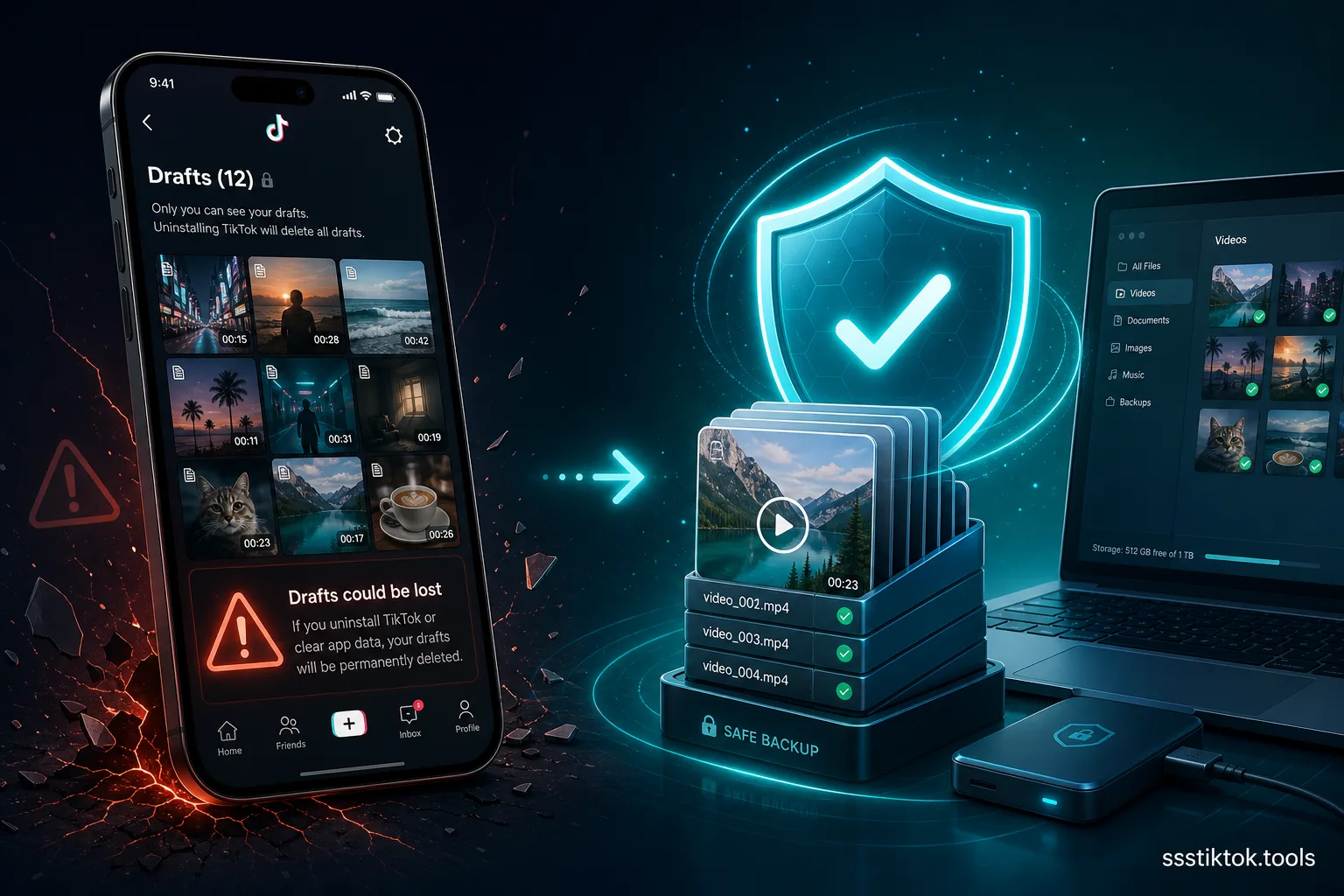
You open TikTok, tap into your drafts folder, and the videos you spent an hour editing between classes or during your commute in Jakarta traffic are simply gone. No warning, no error — just an empty folder. If this has happened to you, you're far from alone, and it isn't a bug. TikTok drafts are stored locally on your device, not in the cloud, so the moment you uninstall the app, switch to a new phone, or clear your storage, every unpublished draft disappears with it.
This catches most Indonesian creators off guard because apps like WhatsApp or Google Drive sync everything automatically in the background. TikTok simply doesn't do that for drafts. The good news is there are proper ways to back up your work before disaster strikes, and this guide covers all of them — including how to use ssstiktok.tools to pull a finished draft off TikTok's servers once you've published it privately.
Why TikTok Drafts Are at Risk
Drafts are stored on your device, not the cloud
When you record or upload a clip in TikTok and tap "Save draft" instead of posting, that file gets written directly to your phone's local storage — inside the app's own private folder, somewhere TikTok's servers can't see or restore from. A published video lives permanently on TikTok's CDN and syncs to your account regardless of which device you log into. A draft doesn't work that way. It exists in exactly one place: the specific phone you created it on. There's no drafts section in your account settings, no sync toggle, and no built-in cloud backup.
When you lose them: reinstall, new phone, crash
Three scenarios wipe your drafts every time. First, uninstalling TikTok — even briefly, even if you reinstall it minutes later — clears local app storage on most phones, taking every draft with it. Second, buying a new phone: there's no "restore drafts from old device" option during setup, so whatever was in your drafts folder on the old phone doesn't exist on the new one. Third, and often the most painful for budget Android phones with limited storage, is a forced app crash or clearing app data/cache through your phone's settings to free up space — the "Clear storage" button will nuke drafts instantly, and a lot of people tap it without realizing the cost.
Method 1: Publish Privately and Download
The most reliable way to turn an at-risk draft into a permanent backup is to publish it, but restrict who can see it, then download the file properly afterward.
Step 1: Set video to "Only Me" and post
Open the draft and go through the normal posting flow instead of leaving it sitting there. Before tapping "Post," find the privacy setting (usually labeled "Who can watch this video") and switch it from "Everyone" to "Only me." This uploads the video to TikTok's servers exactly like a public post, but nobody else can see, find, or interact with it. It's now stored on TikTok's CDN rather than trapped as a local draft file.
Step 2: Copy the video link
Once posted, go to your profile, find the private video (usually marked with a small lock icon), open it, tap the share icon, and select "Copy link." This grabs the direct URL to your now-cloud-hosted video.
Step 3: Download with ssstiktok.tools (no watermark)
Paste that link into ssstiktok.tools, tap download, and save the clean MP4 straight to your phone — no TikTok watermark, no logo, no quality loss from re-encoding, and it works fine even on slower Indonesian mobile connections since the file is served directly. Now you have the finished video saved in two places at once: as a private post on TikTok's servers (recoverable from any device you log into), and as a local file on whatever device you downloaded it to. Even if your phone gets lost or damaged, that private post is still waiting on your account.
Method 2: TikTok's Data Export Tool
How to request your data
TikTok has a built-in data export feature under Settings → Account → Download your data. You can request a full export of your account activity, and it takes anywhere from a few hours to a few days to generate before you get a download link.
What's included (and what isn't)
This export includes your posted videos, comments, likes, follower list, and direct messages — but it generally does not include unpublished drafts sitting in local storage. TikTok's export pulls from what's already on their servers, and a local-only draft was never uploaded there. This makes the data export mainly useful as a backup of content you've already published, not a rescue method for drafts still sitting unpublished on your device. If you're serious about preserving a draft, Method 1 is far more reliable because it actually gets the file onto TikTok's servers first.
FAQ
Why did my TikTok drafts disappear?
Almost always it's because you uninstalled and reinstalled the app, switched to a new phone, or cleared the app's storage/cache through your phone's settings. All three wipe local app data, and drafts live exclusively in local app data.
Can I transfer drafts to a new phone?
Not directly through TikTok — there's no built-in transfer or sync feature for drafts between devices. Your best option is to open each draft you care about on your current phone, publish it privately with "Only me" selected, and it'll then be accessible from your account on the new phone too.
How do I export TikTok drafts?
You can't export a draft directly since TikTok has no export function for unpublished local content. The workaround is to publish the draft as a private "Only me" post first, then use ssstiktok.tools to download the resulting video link as a clean MP4 file.
Will making a draft private cost me views later?
No. When you're ready to actually publish the video to the public, just edit the privacy setting from "Only me" back to "Everyone" (or "Friends") under the video's settings. Changing visibility doesn't reset the post or affect anything else about it.
Does downloading through ssstiktok.tools reduce video quality?
No. The tool pulls the original file TikTok is already serving rather than re-recording or re-encoding it, so what you download matches the quality of what you uploaded, just without the watermark.
Don't risk losing another edit — back up your TikTok drafts the right way.
Download with ssstiktok.tools →